Every missing HS code, in one place. Fixed in bulk, not one by one.
Shopify doesn't show you which products are missing an HS code, country of origin, or weight — you'd have to open every product to find out. Origova scans your whole catalog, gathers what's missing into one list, lets you fix hundreds of items at once, and keeps itself in sync as your Shopify catalog changes.
Shopify doesn't tell you what's missing. Origova does.
Country of origin, HS code, and weight all live somewhere in Shopify's admin — the first two inside a collapsed Customs information subsection — but there's no single view that shows you which products are missing them. You'd have to check every product yourself. And the stakes just went up: with the $800 US de minimis exemption gone for every country, every parcel crossing the border now needs complete customs data.
The fields exist in Shopify. What's missing is a way to see, across your whole catalog, which ones are actually filled in — and no single Shopify CSV carries all three, so finding the gaps takes more than one export.
Checking every product manually works for a dozen SKUs. It doesn't work for a few hundred, and variants make it worse.
Missing or malformed HS codes are one of the most common reasons a cross-border order gets flagged for manual customs review.
Scan. Fix. Export.
Three steps, run as often as you like. Every fix writes back to the real Shopify product — not just a copy inside the app.
Scan
Origova reads your active catalog and gathers what Shopify doesn't surface on its own: which products and variants are missing HS code, country of origin, weight, material, or a usable title and description.
Fix in bulk
Every issue is grouped by type across your whole catalog. Set a value once and apply it to every affected variant in a single batch — instead of opening each product one at a time. The same pass covers HS codes and country of origin.
Export
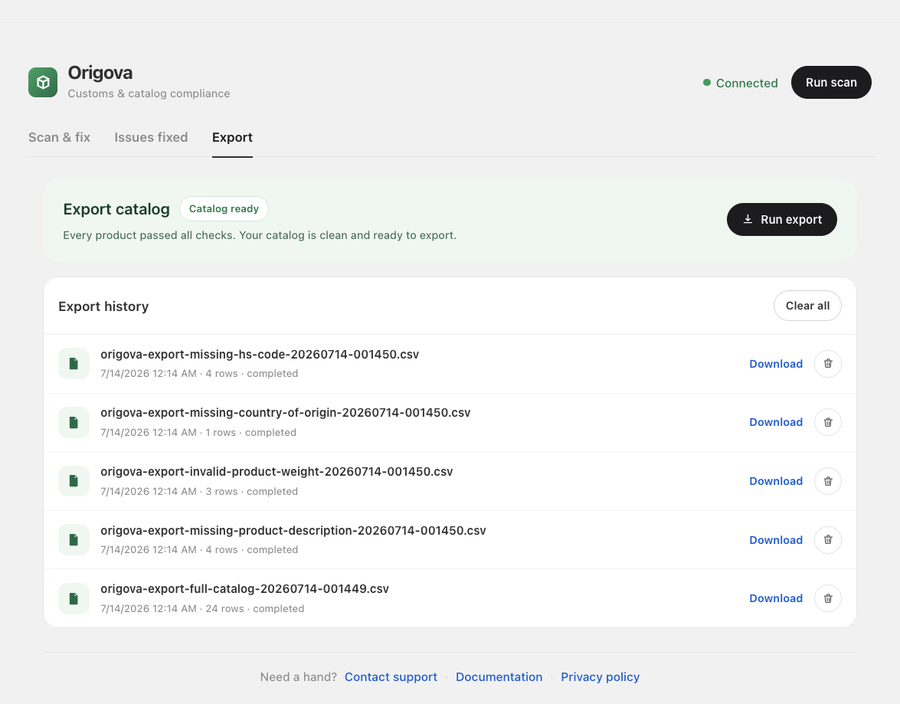
Download a customs-ready CSV of your full catalog, or just the items tied to a specific issue — ready to hand to a broker or freight forwarder. How the export works →
See every step, in the real app.
Scan, fix in bulk, keep every change reversible and in sync, then export — here's the whole flow.
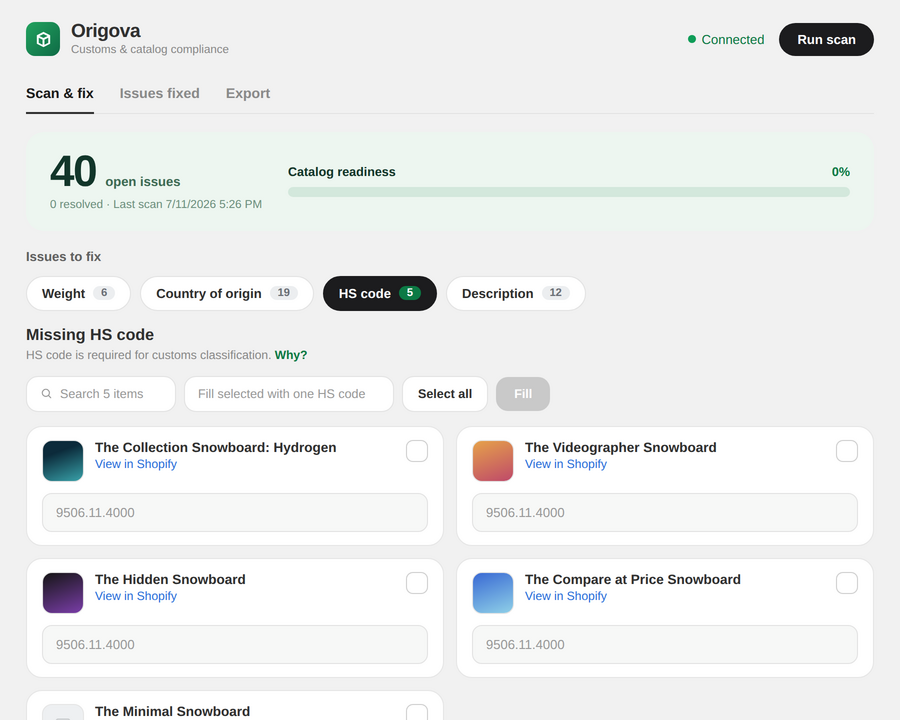
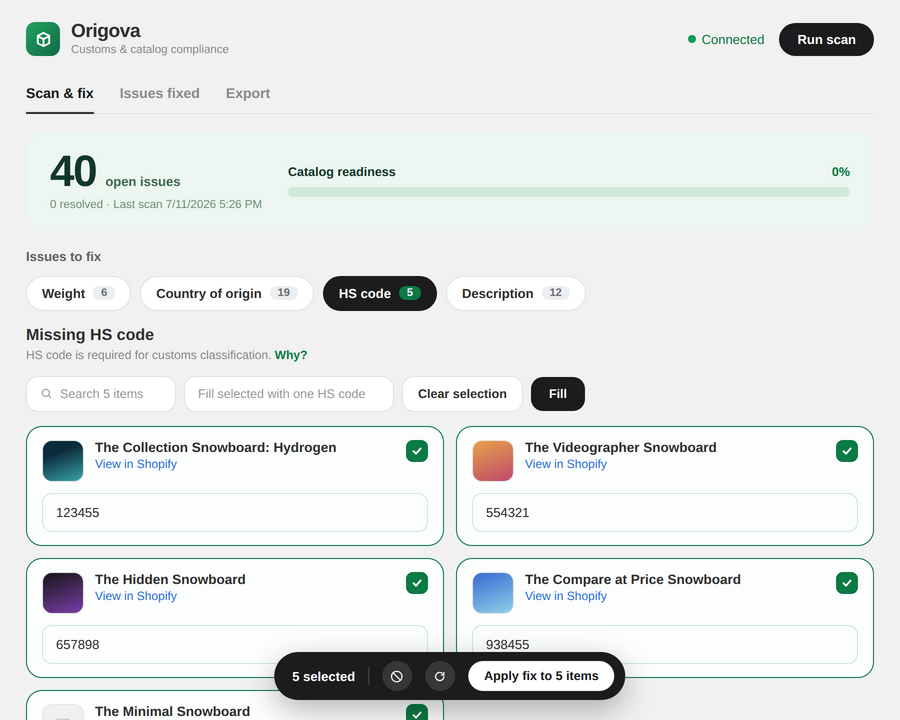
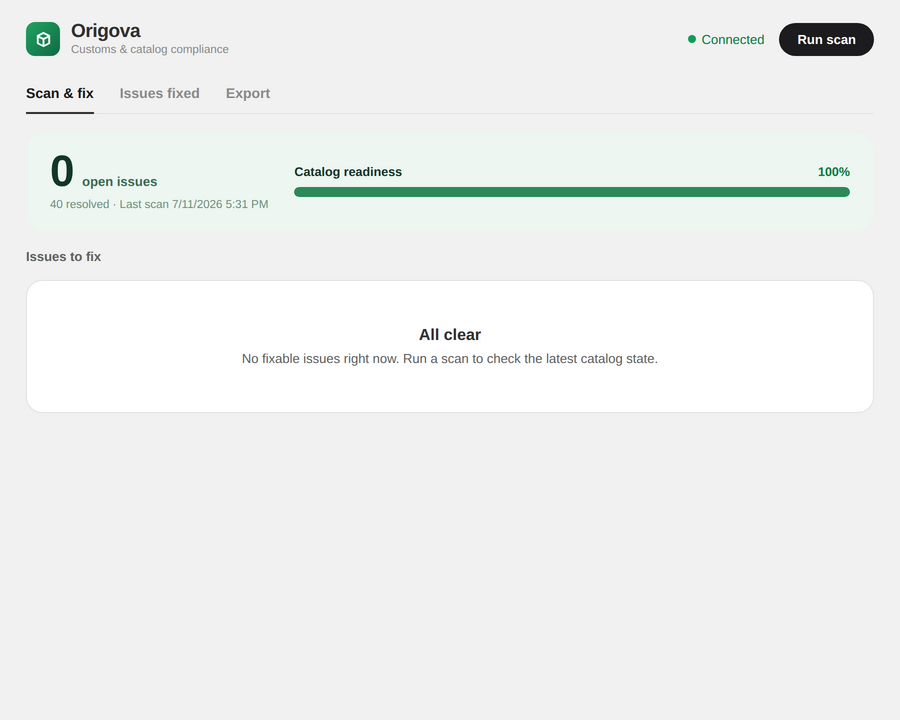
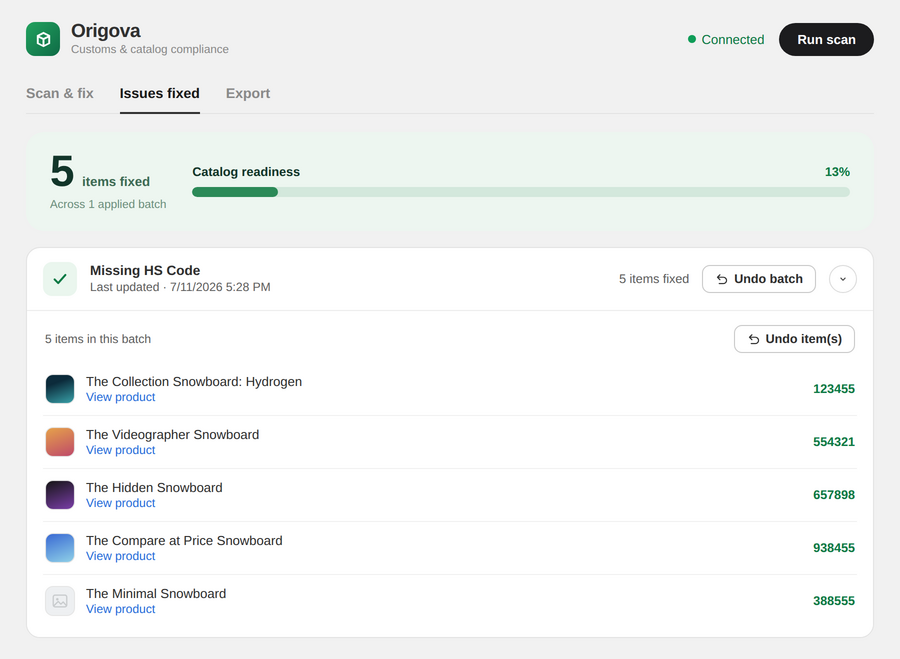
Scan your whole catalog
Origova reads your active catalog and gathers everything Shopify never shows in one place: which products and variants are missing an HS code, country of origin, weight, material, or a usable description.
Built to be trusted with your catalog.
Stays in sync with Shopify. Automatically.
Change a country of origin, HS code, or weight directly in Shopify and Origova picks it up on its own — no rescan needed. Findings resolve, exports reflect the new value, and Shopify stays the single source of truth.
Every fix is reversible.
Applied a value by mistake? Undo restores the exact previous value in Shopify, not just in Origova's records — and the finding reopens automatically.
Six things customs actually looks at.
Not a generic data-quality scan — rules built around what actually holds up a cross-border shipment.
HS code
Flags missing codes and ones that don't match the 6–10 digit format customs expects. What an HS code app should do →
Country of origin
Every variant needs one. Origova finds the ones that don't have it set. Products missing an origin →
Weight
Catches missing weights and impossible ones — zero, negative, or blank. Variants missing a weight →
Material
Flags missing materials and generic placeholders like "mixed" or "fabric" that won't survive a broker's review.
Product title & description
Vague titles and empty descriptions make manual classification slower and less accurate — this catches both. The full six-field audit →
Your data only
Every store's catalog, scans, and fixes are fully separated. Nothing you scan is ever visible to another store.
Find out what's actually export-ready.
Install Origova and have your first scan running in under two minutes. Scanning is free at any catalog size — you only pay to fix, and the plans are here.
Install on Shopify